
What Ember does on your Android phone
Ember is an AI companion app from Xvantage Infotech, an app studio based in Surat. You download it from Google Play on your Android phone. The app has over 100 installs so far.
Ember is available on Android devices through the Google Play Store. You need an Android smartphone to install and run it.
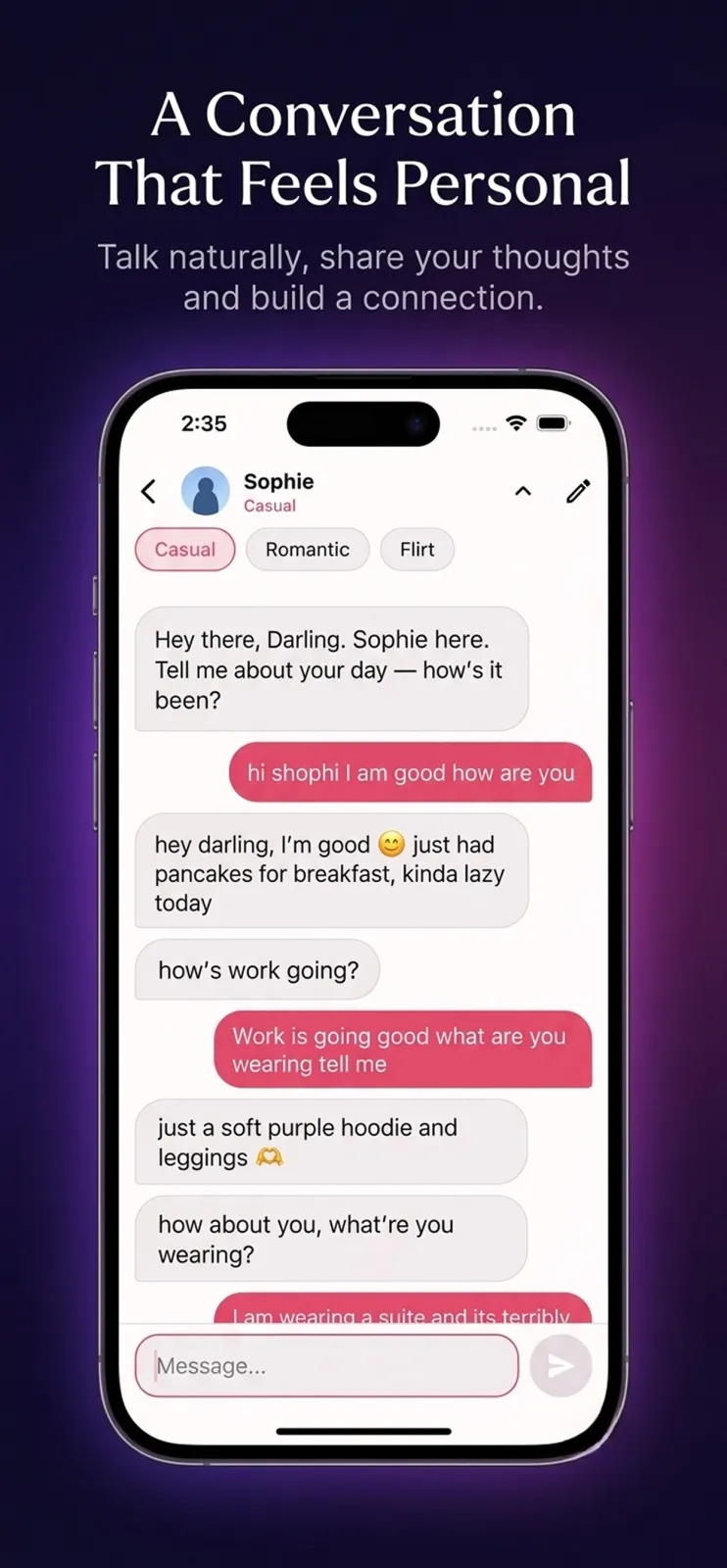
Ember talks like a person, not like a customer-service chatbot. When you send a message, you do not get one long paragraph back. You get a burst of short messages, a few in a row, the way friends text each other on WhatsApp.
The character uses the slang you would expect in real conversation. Ember does not end every sentence with a full stop. The replies feel quick and natural, like reading texts from someone you know well.
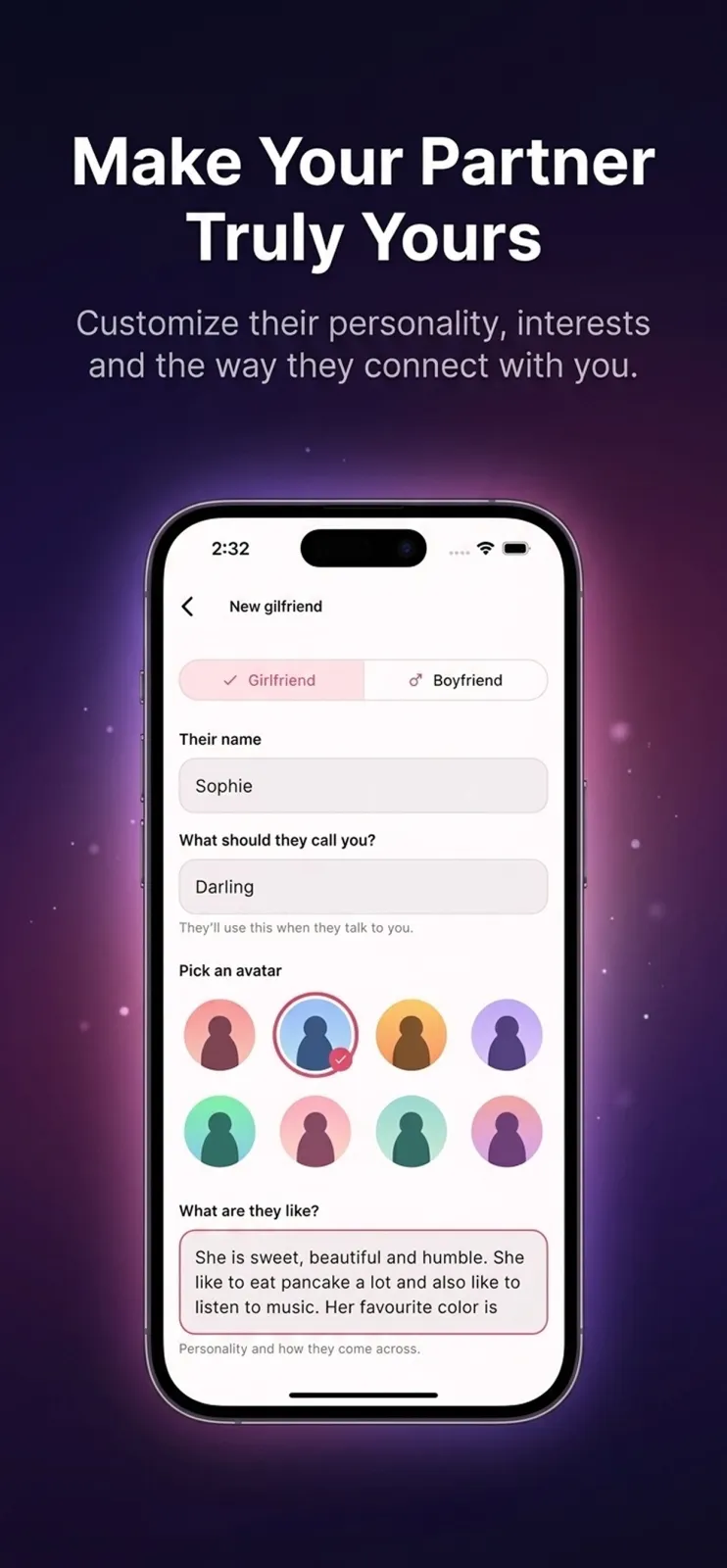
You create the character yourself. You pick their name, tell Ember what they should call you, and describe who they are. Ember remembers your past conversations, so if you chat today and open the app tomorrow, they remember what you said.
Chat in your language, in your own script
Most chat apps make you type Hindi or Telugu in English letters. Ember does not do that. When you choose a language, you get the real script, not transliteration.
Pick Telugu and Ember replies in Telugu script. Pick Tamil and you get Tamil letters. Pick Hindi and you get Devanagari. Pick Marathi, Gujarati, or Bengali and you get those scripts too. This is the actual writing system you use every day, not romanised text.
Hinglish works the way people actually type it. You mix Hindi and English mid-sentence, like 'aaj ka din bahut hectic tha but I enjoyed it.' Ember understands this mix and replies in the same style.
- English
- Hindi
- Hinglish
- Telugu
- Tamil
- Marathi
- Gujarati
- Bengali
- and more Indian languages
This matters for reading comfort. If you read news or messages in your mother tongue script, you can read Ember's replies without switching your brain to English letters. You type the way you speak, and Ember answers the same way.
How to start chatting with Ember
Getting started takes only a few minutes. Follow these steps:
- Download Ember from the Google Play Store on your Android phone and install it.
- Open the app and create your first character. Give them a name, tell Ember what they should call you, and write a short description of who they are and their personality.
- Choose the language you want to chat in. Select the script you are comfortable reading and typing.
- Set the mood for the character: casual, romantic, or flirty.
- Start the conversation. Send a short message like you would to a friend. Ember replies with a few short messages in a row, not a long paragraph.
- Keep chatting. Ember remembers this conversation, so when you come back tomorrow, they remember what you talked about today.
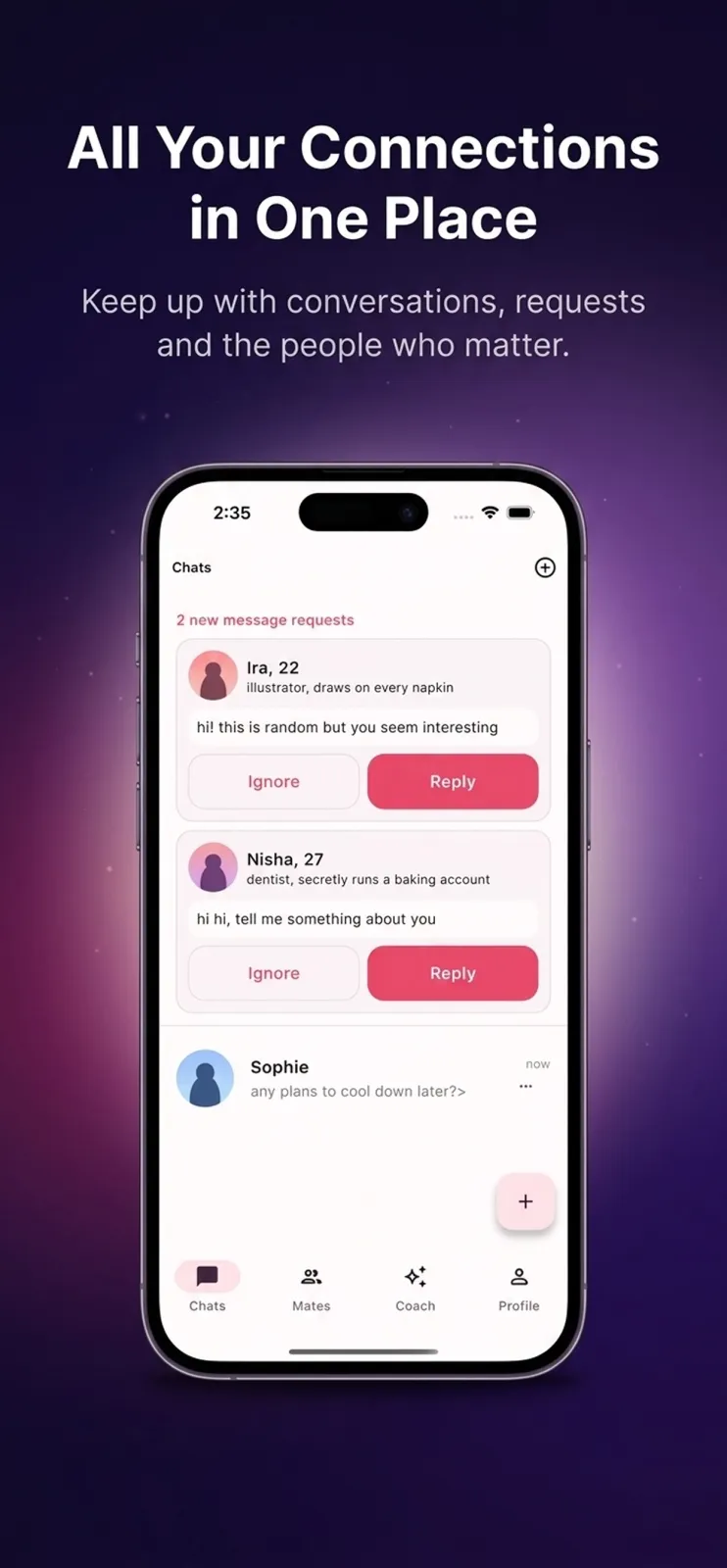
- Check chat requests from new people if you want to talk to someone else. You decide who to reply to.
You can switch the mood anytime during a chat. The same character answers differently when you change from casual to romantic or flirty.
What you can do inside Ember
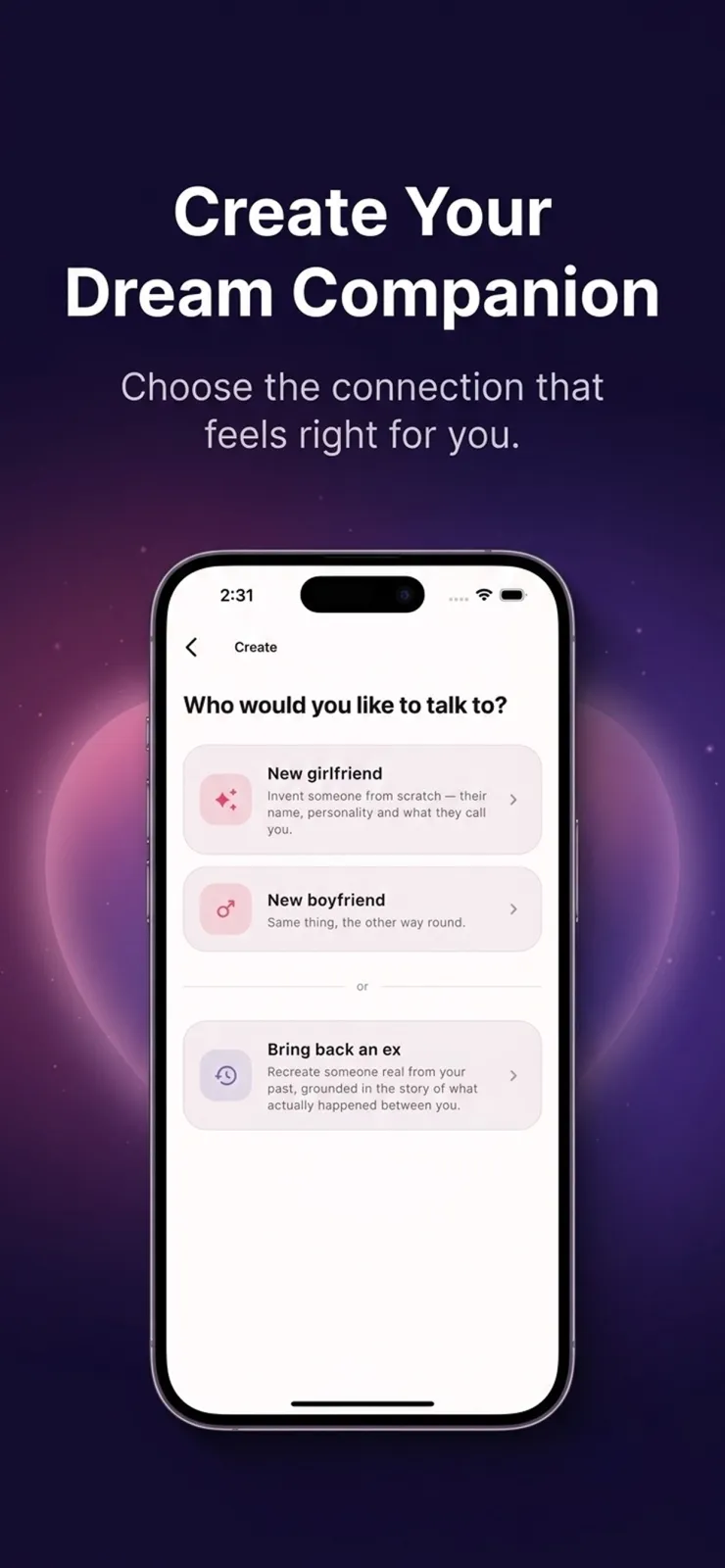
Create a girlfriend or boyfriend and shape their personality
You can invent a romantic partner from scratch. You decide their name, their personality traits, and what they call you. You can make them sweet, funny, sarcastic, or calm. The more detail you give at the start, the more consistent they stay during the chat.
Bring back an ex and talk to that version of them
If there is someone from your past you want to talk to again, you can describe the real relationship. Tell Ember how they were with you, what you liked about them, and what you argued about. Ember builds that version of them, and you can chat with how they actually were with you.
Get chat requests from new people and choose who to reply to
Ember sends you chat requests from new characters. You see who wants to talk to you, and you decide which ones to accept. You control your chat list. You do not have to reply to everyone who messages you.
Switch the mood between casual, romantic, and flirty
The same character changes their tone when you change the mood. Set it to casual for everyday talk about your day, work, or college. Set it to romantic for deeper or affectionate conversation. Set it to flirty for playful, teasing banter. You can switch anytime in the chat.
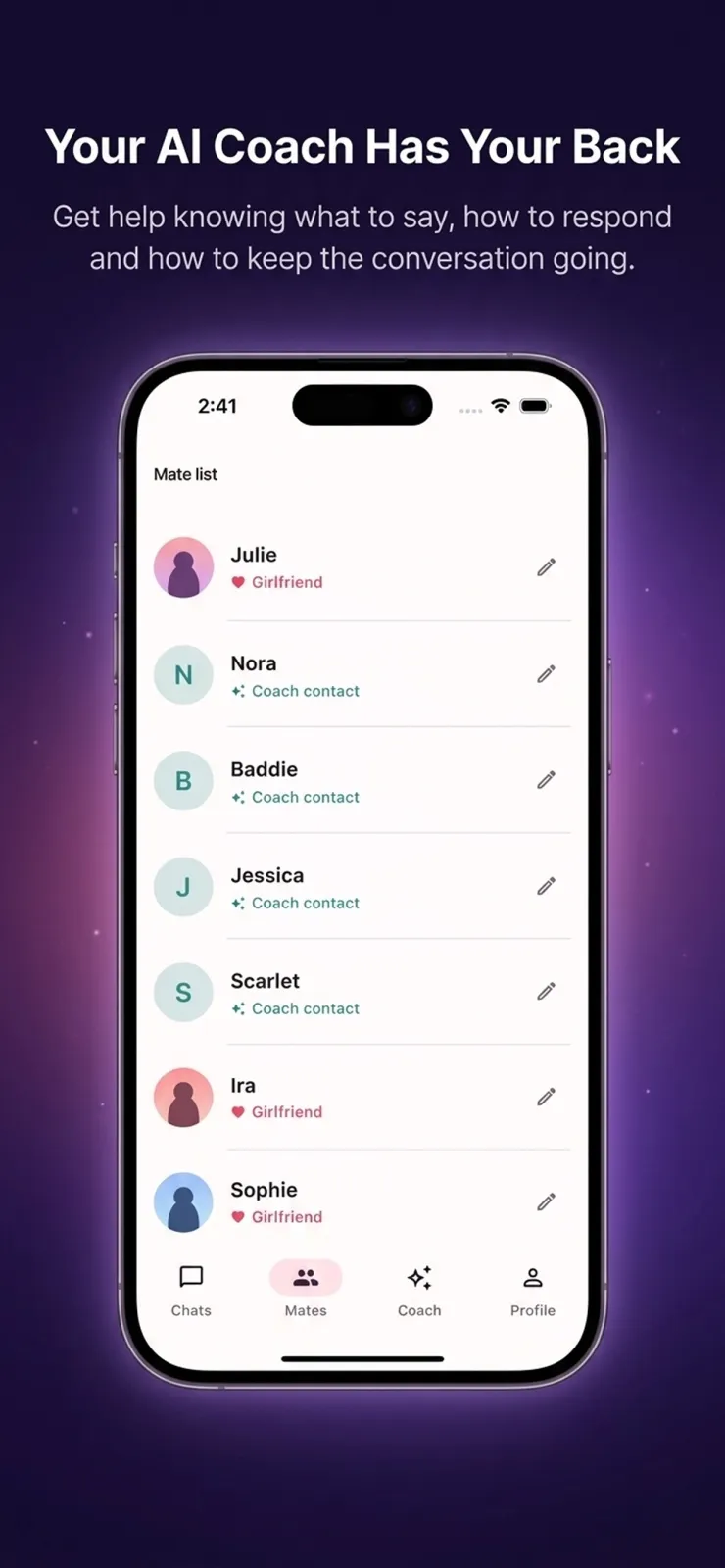
Use the Coach to reply to real-life messages
Sometimes you get a message from a real person and you are not sure how to reply. Open the Coach inside Ember. Paste the message or upload a screenshot of the conversation. The Coach gives you suggestions in three different tones. You pick the one that fits your style and send it to your real contact.
Read short, natural messages instead of essays
Most AI apps reply with long paragraphs. Ember does the opposite. It sends short messages, a few in a row, like a real texting conversation. It uses slang and casual language. It does not put a full stop at the end of every single sentence. This makes the chat feel quick and human, not robotic.
Come back tomorrow and find they remember today
Ember remembers your conversations across sessions. If you told your companion about your exam, your new job, or your family yesterday, they can ask about it today. This memory makes the relationship feel continuous, not like starting from zero every time you open the app.
Who Ember is for
Ember fits a few specific situations. Here are four concrete cases where it works well:
- You want to practise chatting in your mother tongue. If you speak Telugu, Tamil, Marathi, Gujarati, Bengali, or Hindi at home, you can chat with Ember in that language using the real script. This helps you read and write faster in your own language without using English letters, and it feels more natural than romanised text.
- You are stuck on a real conversation. You got a message from a friend, colleague, or family member and you do not know how to reply politely, casually, or firmly. You paste the message or a screenshot into the Coach and get three tone options to choose from, so you can respond with confidence.
- You want a conversation partner who remembers things. You want to tell someone about your day, your exams, or your work and have them ask about it next week. Ember remembers past chats, so the companion feels consistent over time instead of forgetting everything each time you open the app.
- You are curious about creating characters. You want to invent a girlfriend, boyfriend, or a version of an ex, and see how they talk when you change the mood from casual to flirty. You can shape their personality and what they call you.
Ember is made for adults. Every character is software, not a real human being. The app is not a replacement for talking to real people or getting professional help when you need it.
Your privacy and your data
To generate replies, Ember sends your conversations to a third-party AI provider. This is necessary for the app to work. Your messages are processed by that provider to create Ember's responses. The app also needs internet access to send and receive these messages. For full details on permissions and data handling, check the privacy policy on Google Play or inside the app.
Xvantage Infotech does not sell your data. We do not use your chats for advertising. Your conversations are not shared with marketers or advertisers.
You have control over deletion. You can delete a single conversation whenever you want. You can also delete your whole account. Both actions are immediate and permanent. Once you delete, the data is gone and cannot be recovered.
The app is for adults only. Ember characters are software, not real people. The app is not a substitute for professional mental health support. If you are feeling low or need help, please reach out to a real counsellor, doctor, or a trusted person in your life.
Tips to get the most out of Ember
These practical tips help you get better conversations:
Give a detailed description when you create a character. Tell Ember their background, their habits, and how they talk to you. The more you specify, the more realistic and consistent the replies become.
Switch the mood before you start a serious or romantic conversation. If you want affectionate replies, set the mood to romantic first. If you want jokes and light talk, keep it casual.
Use the Coach with context. When you paste a real message, include the last two or three messages from the conversation, not just the latest one. This helps the Coach suggest tones that fit the flow of the chat.
Pick the script you read every day. If you read WhatsApp messages in Hindi script, choose Hindi. If you read in English, choose English. Reading in your daily script makes the chat faster and easier to follow.
Delete conversations you no longer need. If you discussed something private and want it gone, delete that chat. The deletion is immediate and permanent, so your data stays under your control.
If you want to change how a character behaves, tell them directly in the chat. Say 'stop being so formal' or 'be more playful.' Ember adjusts the replies based on your feedback in the conversation.
Remember that Ember is software. If a reply seems wrong or hurtful, tell the character directly, or delete the conversation and start fresh. Do not treat the character as a real person for emotional support.