Byting Korner
Byting Korner POS
A tablet-first point-of-sale system for quick-service restaurant outlets in India: fast ordering and billing, live order tracking, stock requests and a central admin dashboard across 25+ outlets.
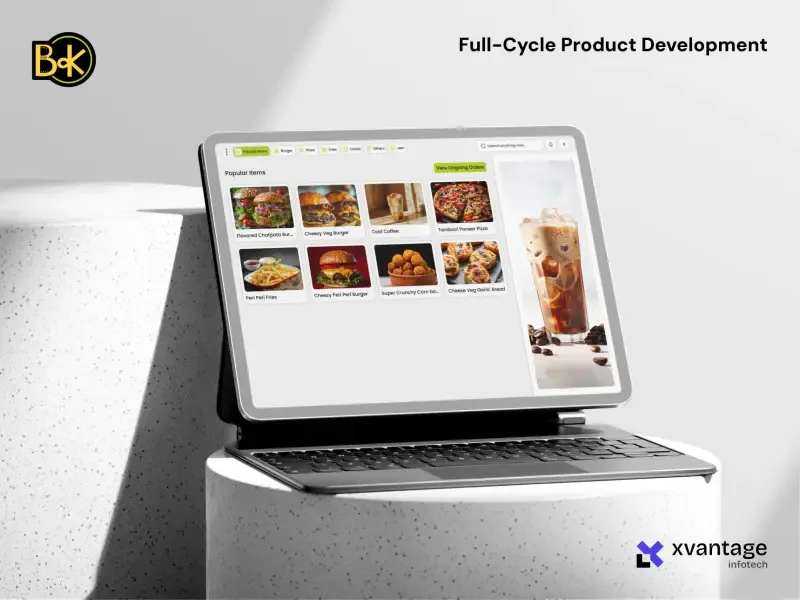
Results and scope
- 30% faster checkout
- Deployed across 25+ outlets
- 95%+ inventory accuracy
- <0.5% system downtime
Stack
React · Node.js · Figma
The problem
Byting Korner runs quick-service outlets where the counter gets busy fast. Staff needed to take orders and bill in seconds, the kitchen needed to see what was ongoing, and the head office needed live stock and sales from every outlet without phoning each one.
Platforms: Web app for desktop and tablet; companion iOS and Android app on the roadmap
What we learned before designing
- 01
Ease of use comes first
Many counter staff have limited experience with software, so every screen had to work without training manuals.
- 02
Inventory problems were frequent
Outlets ran out of items or over-ordered because nobody could see stock levels in time.
- 03
Speed matters at peak time
Checkout during rush hour needs a fast screen with nothing in the way.
- 04
It must work offline
A dropped internet connection should not stop the counter from taking orders.
- 05
Hardware has to just work
Barcode scanners and thermal printers had to connect out of the box.
The screens staff use every day
Taking an order
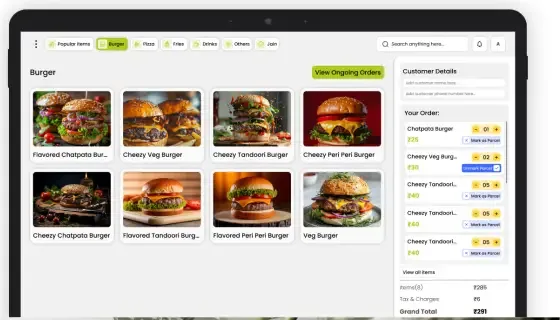
Staff pick a category, tap items into the cart, add customer details, mark items as parcel and see the bill summary on the same screen.
Order overview
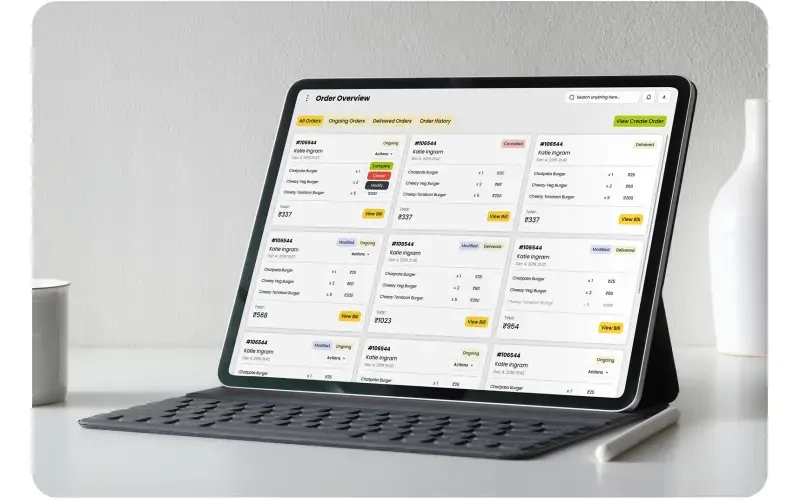
Every ongoing, delivered and past order as a card with status tags, so staff can update, cancel or complete orders and open the bill in one tap.
Owner dashboard
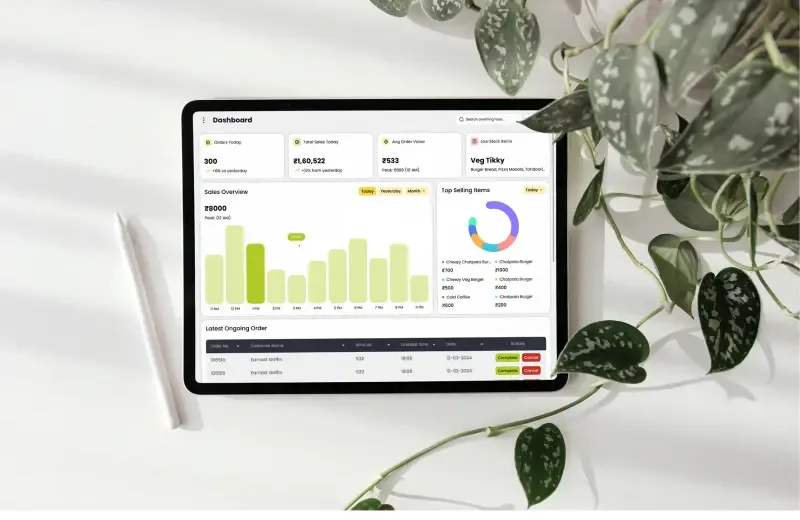
Orders today, total sales, average order value, top-selling items and an hourly sales chart, with the latest ongoing orders below.
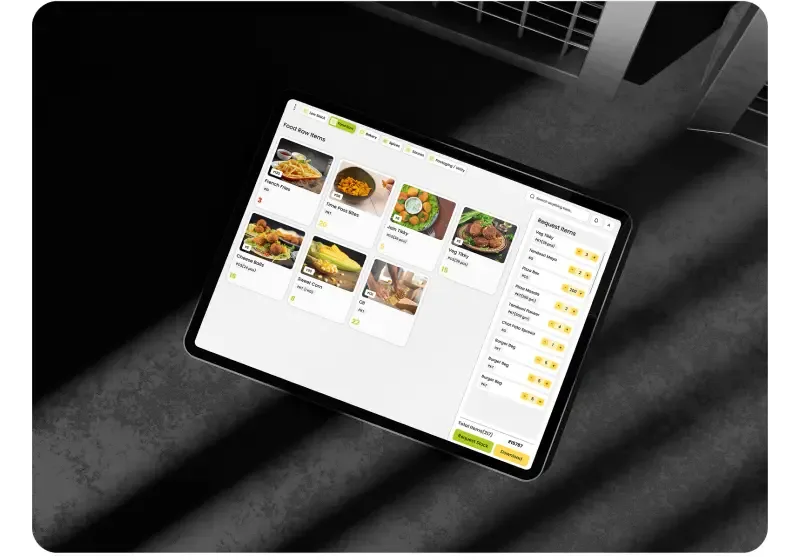
Stock requests
Low-stock items are flagged with counts. Staff add items to a request, set quantities and send it to the central kitchen; every request is kept in a history with its status.
How the app is organised
- Log in
- Username and a 6-digit PIN, built for shared counter tablets.
- Orders
- Create order (category, cart, customer, parcel, bill) and order overview (all, ongoing, delivered, history).
- Stocks
- Stock management (low-stock items, categories, request cart) and request history.
- System
- Notifications, contact support and end-of-day shift closure.
What we delivered
- Role-based dashboards for super admin, sub admin, franchise and POS staff
- Checkout flow: add to cart, apply discounts, take payment
- Product management module
- Sales and reports module
- Alerts for low stock and shift closure
Design principles: Simplicity, Speed, Clarity, Consistency, Scalability. Tools: Figma, Notion, Miro, Maze.
Results
2.1 min → 1.4 min
Average transaction time
3 days → 1 day
Staff onboarding
+15% average
Revenue in pilot outlets
< 0.5% across connected devices
System downtime
- 30% faster checkout. Shorter queues at the counter.
- 95%+ inventory accuracy. Live stock visibility cut loss and pilferage.
- 80% less staff training time. New staff learn the POS in a day.
- 15% more monthly revenue. In pilot outlets, from better stock movement and insights.
- 25+ outlets. All synced live to one central admin dashboard.
Visual system
Poppins (Regular, Medium, SemiBold, Bold)
Need a POS or admin panel like this?
We design and build back-office systems for restaurants, retail and bookings.
The full design case study
Research, flows, typography and every screen, as we presented it.
