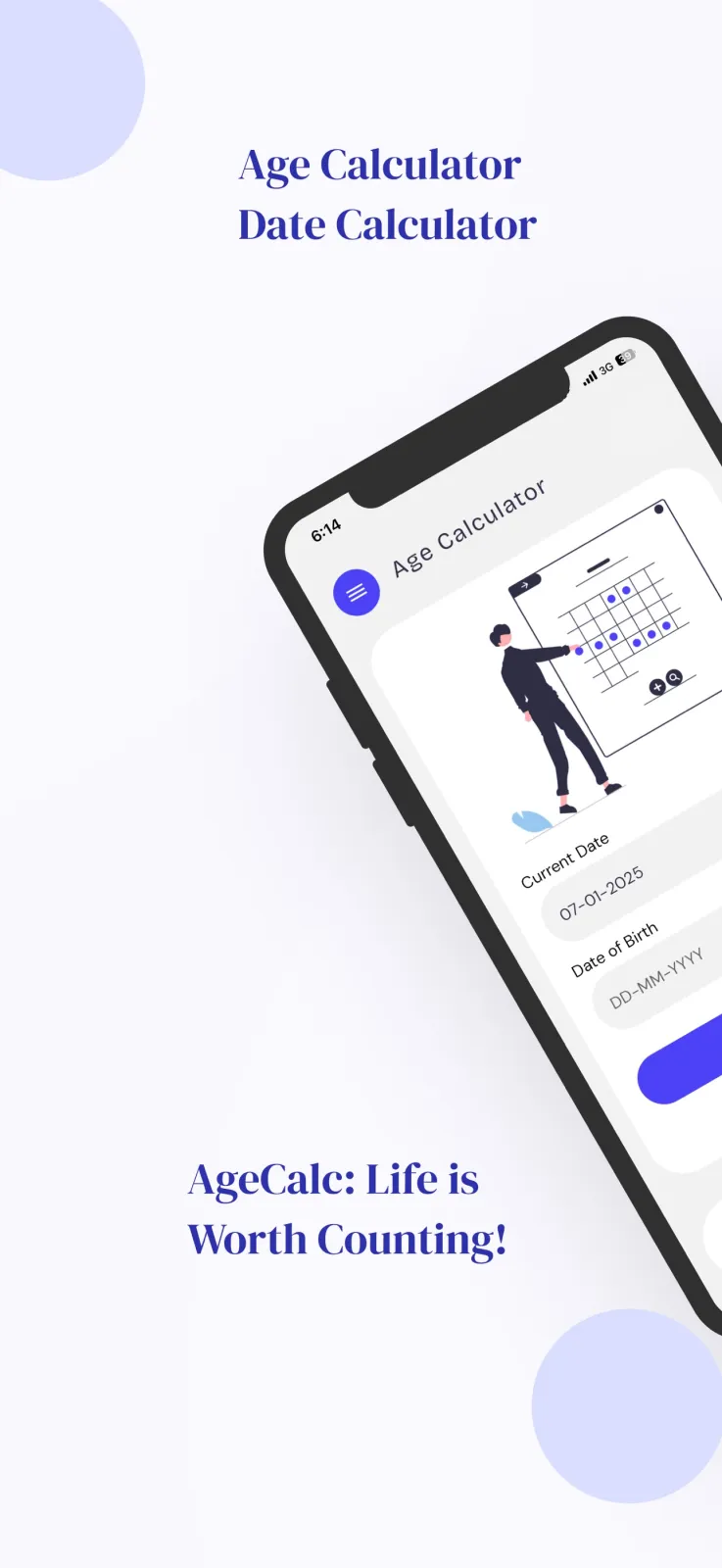
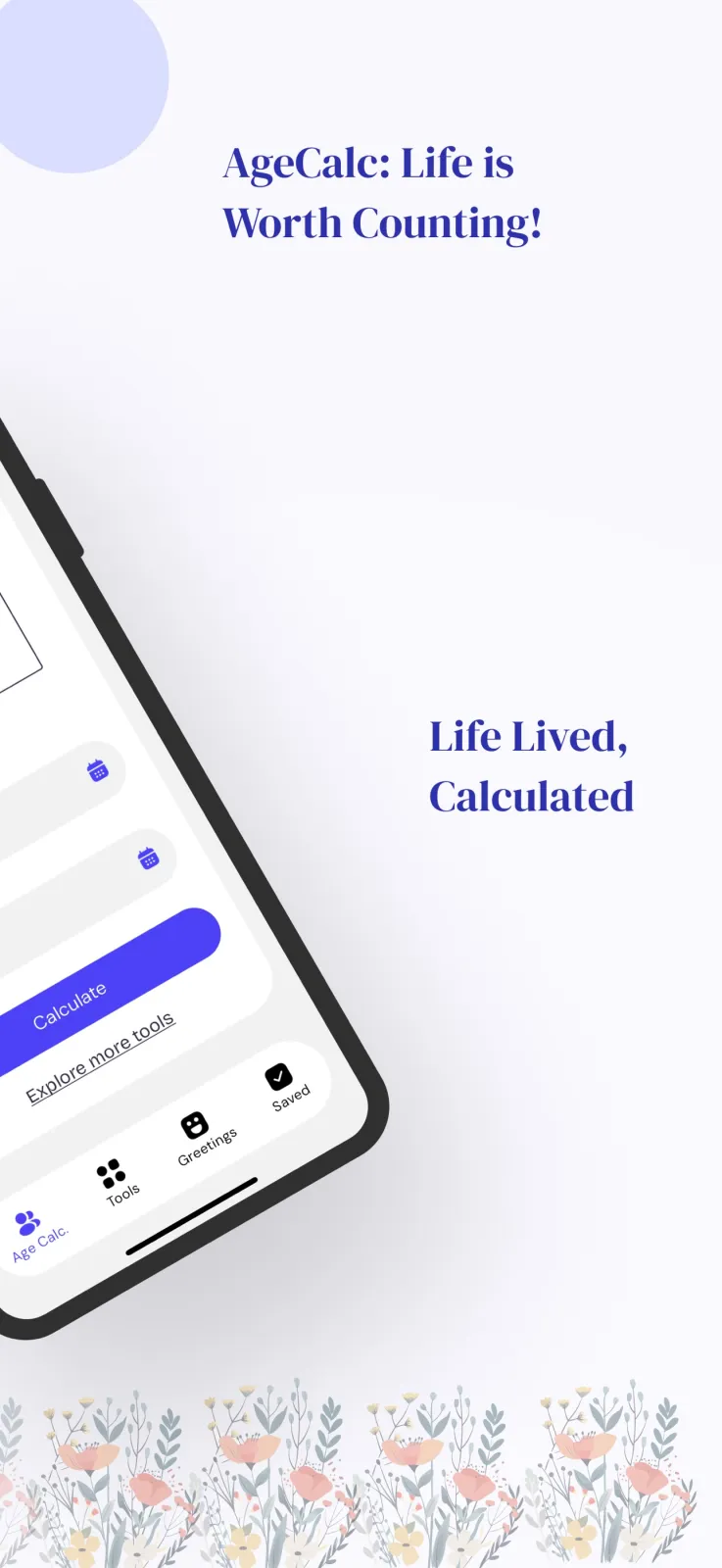
What AgeCalc calculates when you enter your date of birth
You search Google for an age calculator by date of birth when you need the exact age, not a rough guess. Many forms, school applications, and government documents ask for your age in years, months, and days. Counting this by hand takes time and often leads to mistakes, especially with leap years and different month lengths. AgeCalc does the math for you instantly.
You type your birth date into the app. AgeCalc shows your exact age in years, months, and days. For example, if you were born on 15 March 2000, the app tells you exactly how many years, months, and days you have lived until today. It also shows the total time you have lived broken down into seconds, minutes, hours, days, weeks, and years.
The app also counts down to your next birthday. You see the remaining days, hours, minutes, and seconds. It tells you which weekday your birthday falls on this year, so you know if it is a Saturday or a working day. You also get your half birthday date.
You can also use AgeCalc to find the days between any two dates, not just your birthday. This is helpful for planning trips, counting down to festivals, or checking how long you have been in a job.
AgeCalc runs on Android phones from Google Play and on iPhones from the App Store. You download it for free. Every feature inside the app is free too. You do not pay anything to calculate, share, or use the extra tools.
You do not need to sign up or create an account. You do not need to give your phone number or email. You open the app, enter a date, and see the result immediately.
How to use AgeCalc step by step
Follow these steps to get your exact age and birthday countdown:
- Download AgeCalc from Google Play if you have an Android phone, or from the App Store if you have an iPhone.
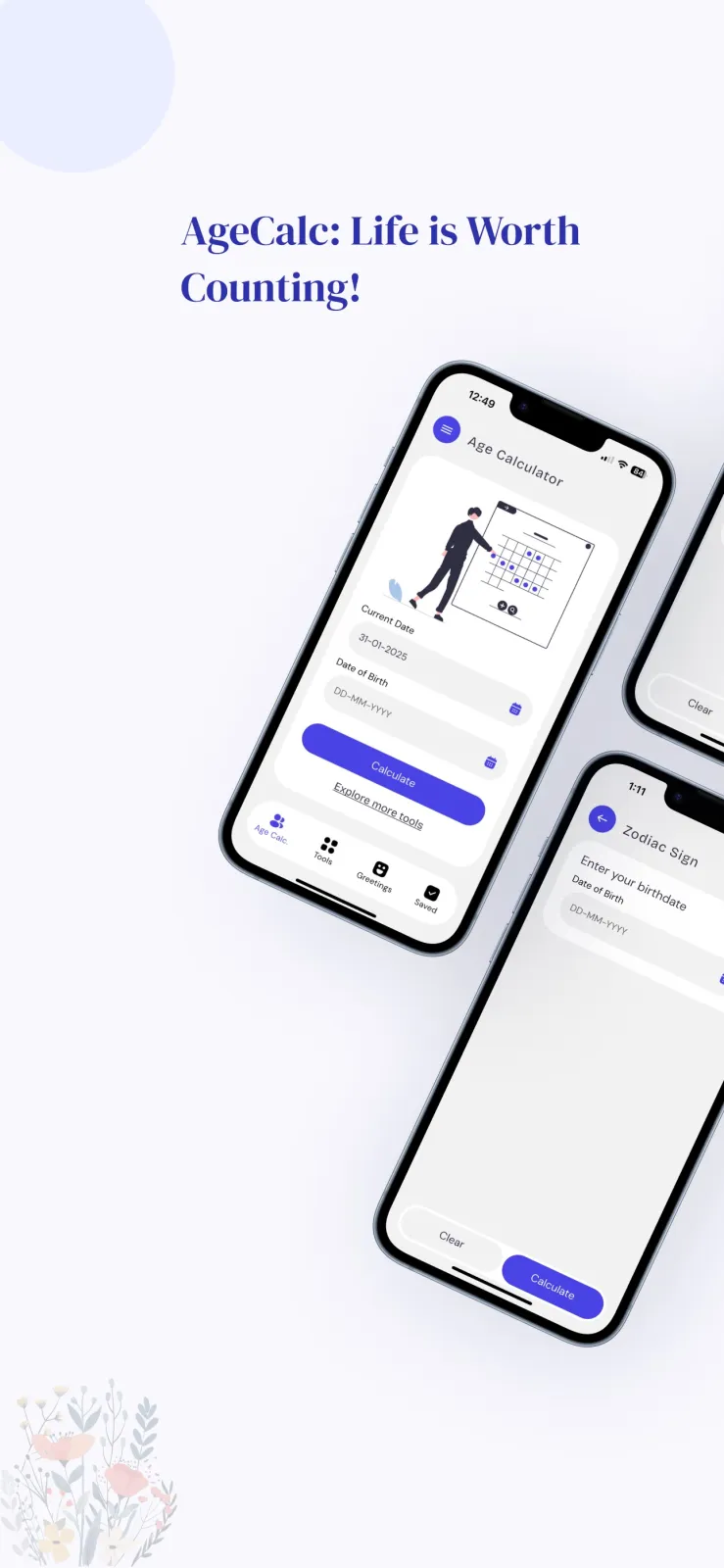
- Open the app. On the main screen, you see a field that asks for your date of birth.
- Tap the field and enter your birth date. Use the day, month, and year selectors to pick the correct date.
- Tap the calculate button. AgeCalc immediately shows your exact age in years, months, and days.
- Scroll down on the result screen. You see the countdown to your next birthday in days, hours, minutes, and seconds.
- Look for the weekday label next to your next birthday. This tells you if your birthday falls on a Monday, Tuesday, and so on.
- To share your result, tap the share button. Choose any social media app like WhatsApp or Instagram to send your exact age or the countdown to friends and family.
- To check someone else's age, go back to the input screen, clear your date, and enter their date of birth. You can repeat this for as many people as you want.
- To save a birthday for later, use the save option. The app stores the date so you can check the age and next birthday again without typing it.
If you enter the wrong date by mistake, just go back and change it. The app recalculates instantly when you tap calculate again.
All features inside AgeCalc explained
Exact age in years, months, and days
The main screen gives you your precise age. It does not round off to just years. It shows the full breakdown: years, months, and days. This is useful when a form asks how old you are in years, months, and days and you need the exact numbers.
Time you have lived in seconds, minutes, and hours
AgeCalc also shows the total time you have lived since birth. You see the count in seconds, minutes, hours, days, weeks, months, and years. This answers questions like how many hours have I lived or how many days have I been alive at parties or family dinners. You can share these numbers with the share button.
Next birthday countdown and weekday
The app counts down to your next birthday in real detail: days, hours, minutes, and seconds remaining. It also shows the weekday your birthday falls on this year. You also get your half birthday date, which is the day you turn exactly half a year older between birthdays.
Date Calculator for days between two dates
Use the Date Calculator tool to find the total number of days between any two dates. For example, you can calculate how many days are left until your anniversary, a wedding, a holiday, or how many days have passed since a past event. The Date Calculator works both ways. You can enter a past date and today's date to see how many days have passed, or enter today and a future date to see the countdown. This saves you from counting dates on a paper calendar.
Eleven tools in one app
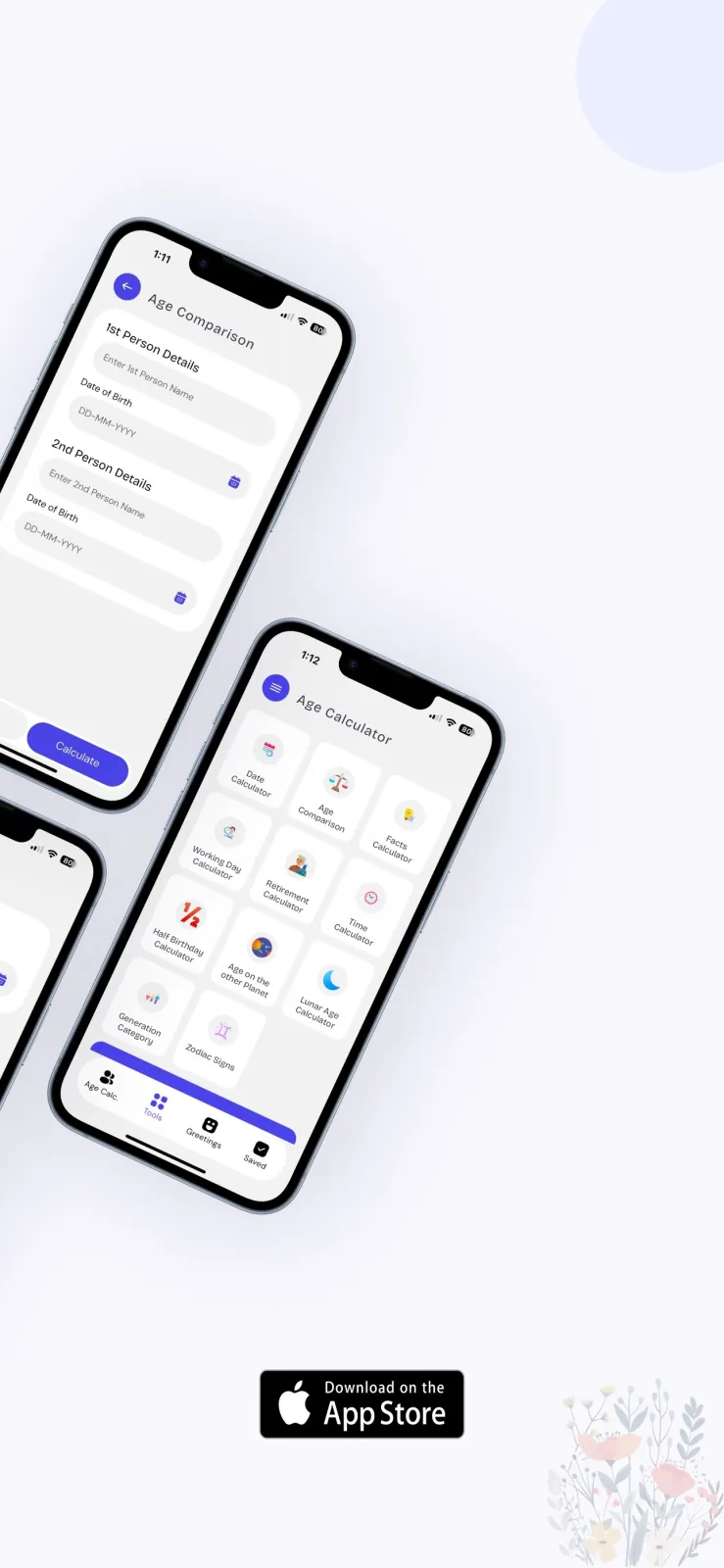
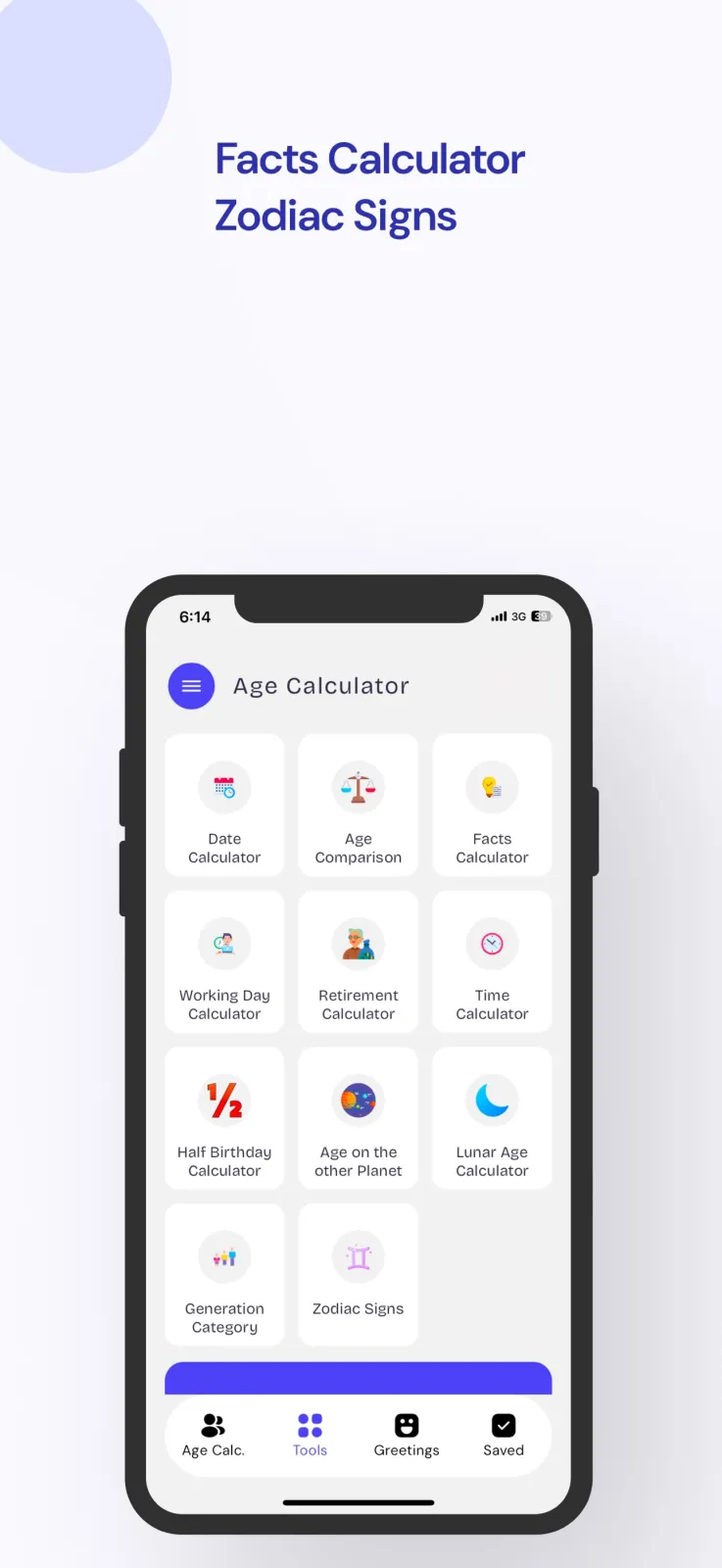
AgeCalc is not just one calculator. It includes 11 tools that you can switch between from the menu:
- Date Calculator: find the time between any two dates.
- Age Comparison: compare the ages of two people side by side.
- Facts Calculator: see estimated life facts like heartbeats, breaths, steps taken, and hours of sleep.
- Working Day Calculator: count working days and non-working days between two dates, useful for leave planning.
- Retirement Calculator: view retirement-age and life-expectancy estimates by country.
- Time Calculator: add, subtract, and compare time periods.
- Half Birthday Calculator: find the exact half birthday date.
- Age on Other Planets: see how old you would be on Mars, Jupiter, or other planets.
- Lunar Age Calculator: calculate your age based on lunar months.
- Generation Category: find which generation you belong to.
- Zodiac Signs: check your zodiac sign based on your birth date.
Note that the Retirement Calculator results are estimates only. They are for general information and entertainment. Do not use them as financial or medical advice.
Save birthdays for family and friends
You can save the birthdays of family members and friends inside AgeCalc. Once saved, you can open the app and instantly see their current age and the countdown to their next birthday. You do not need to type their date again. This is helpful when you want to remember multiple birthdays.
Birthday messages to copy and share
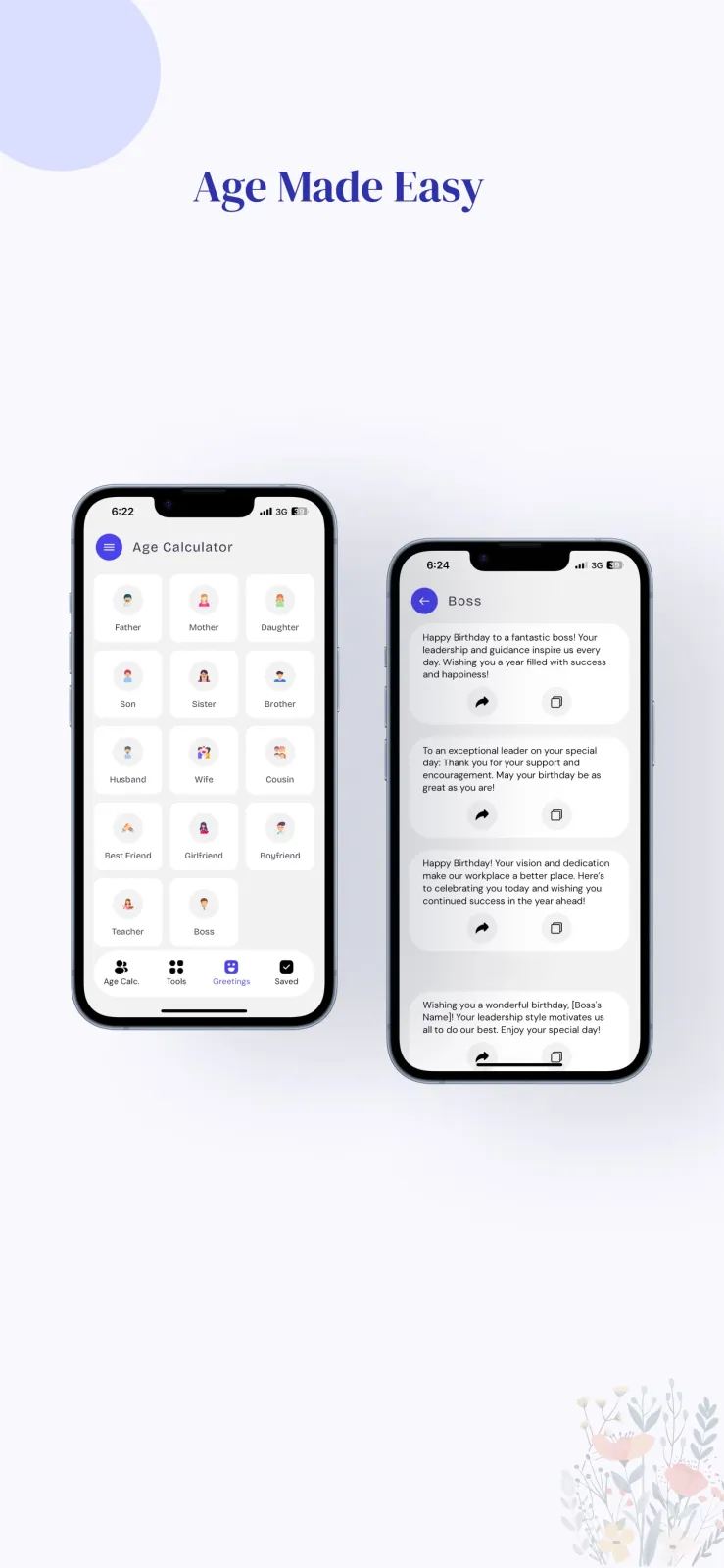
The app includes a collection of birthday messages. You can browse them, pick one you like, copy it, and paste it into a WhatsApp message or social media post for the birthday person. You can also share your exact age or countdown directly from the result screen.
Fun facts and planet ages
AgeCalc gives playful estimates about your life. You can see approximate numbers for your heartbeats, breaths, steps, and sleep since birth. You can also check your age on other planets and your lunar age. These are for fun and curiosity, not scientific measurement.
Multiple languages
AgeCalc works in multiple languages. You can tap the change language button to switch the app to your preferred language, including Indian languages. You can view your exact age in that language and share the result in that language too. You can also calculate what your age will be after 100 years.
Who should use an age calculator by date of birth
AgeCalc is useful in these concrete situations:
- You are filling an online or paper form that asks for your exact age in years, months, and days. School admission forms, job applications, and some government forms ask for this detail. Instead of counting on your fingers, you open AgeCalc, enter your date of birth, and copy the exact numbers into the form.
- You are planning a birthday celebration for a parent, child, or friend. You save their birthday in AgeCalc and check the countdown and the weekday. This tells you how many days are left and whether the birthday falls on a weekend or a working day, so you can plan the party or take leave accordingly.
- You are at a family gathering or office event and people start comparing ages. You enter each person's date of birth one by one in AgeCalc and see exactly who is older and by how many days, months, or years. You can share the results on WhatsApp to settle the discussion.
- You are curious about your own life statistics. You open the Facts Calculator to see estimates of how many heartbeats you have had or how many steps you have walked. You check your age on Mars or your lunar age just to see the numbers for fun.
Privacy, data, and permissions in AgeCalc
AgeCalc does not ask you to sign up. You do not create an account, and you do not need to provide your name, mobile number, or email address to use the app. Since no sign-up is required, you do not have to worry about remembering passwords or verifying your phone number. You just open and use.
To calculate your age, the app needs the date of birth that you type in. This input is used to run the calculation. AgeCalc does not require access to your contacts, camera, or location to show your age or birthday countdown.
For complete details about what data AgeCalc collects, how it stores data, and what permissions it requests on your phone, read the privacy policy. You can find the privacy policy link on the Google Play or App Store listing page, or inside the app settings menu.
The app is free to download and free to use. There are no charges for any feature. All 11 tools, saving birthdays, sharing results, and using multiple languages are available without payment.
Practical tips to use AgeCalc better
Save important birthdays right after you install the app. Add your parents, siblings, and close friends. Then you can check their next birthday countdown anytime in one tap, without typing their date of birth again.
Use the Working Day Calculator when you apply for leave. Enter your leave start date and end date to see how many working days and non-working days fall in that period. This helps you plan your holidays.
Use the Date Calculator to count days between events. For example, enter today's date and your wedding anniversary date to see exactly how many days are left. You can also count days since a past event.
If you fill many forms that need exact age, take a screenshot of your AgeCalc result. Keep the screenshot in your phone gallery so you can show it or refer to it quickly when needed.
Switch the language first if you prefer to read in Hindi, Gujarati, or another language. Tap the change language button, select your language, and then all results and shareable text appear in that language.
Try the Age on Other Planets tool for fun. Enter your birth date and see how old you would be on Mars or Jupiter. Remember these numbers are just for entertainment.
Check the Retirement Calculator only for general curiosity about retirement age by country. Do not use the numbers for financial planning or medical decisions, as the app states these are estimates.
Use the Age Comparison tool when two people argue about who is older. Enter both dates of birth and let the app show the exact difference in years, months, and days.
AgeCalc on Android and iOS
AgeCalc is available on both major mobile platforms. You can download the version that matches your phone.
| Detail | Android (Google Play) | iOS (App Store) |
|---|---|---|
| App name | AgeCalc: Date Life Calculator | AgeCalc: Age & Date Calculator |
| Installs / Ratings | 5 stars from 5 ratings | |
| Version | - | 2.6 (updated 2026-10-31) |
| Cost | Free | Free |
Both versions include the same core features: exact age calculation by date of birth, next birthday countdown with weekday, days between dates, and all 11 tools. You get the same results on Android and iOS.
On Android, the app has been installed by over 500 users according to Google Play. On iOS, it holds a 5-star rating based on 5 user ratings.