
All religion calendar with Panchang in one Android app
Many Indian families follow more than one religious tradition or need panchang for daily puja. Usually this means keeping a wall calendar, checking websites, or asking elders for dates. Calendar+ replaces all that with one app on your Android phone.
Calendar+ is an all religion calendar with Panchang. It includes Hindu, Gujarati, Marathi, Bangla, Islamic Hijri, Sikh Nanakshahi and English calendars in the same app. You also get festivals, holidays and daily rashifal.
The app calculates everything on your phone for your city. This means it works fully offline. Once you download it from Google Play, you do not need internet, Wi-Fi or mobile data to see tithi, nakshatra, festival dates or muhurat. This is useful when you travel to villages or areas with weak network.
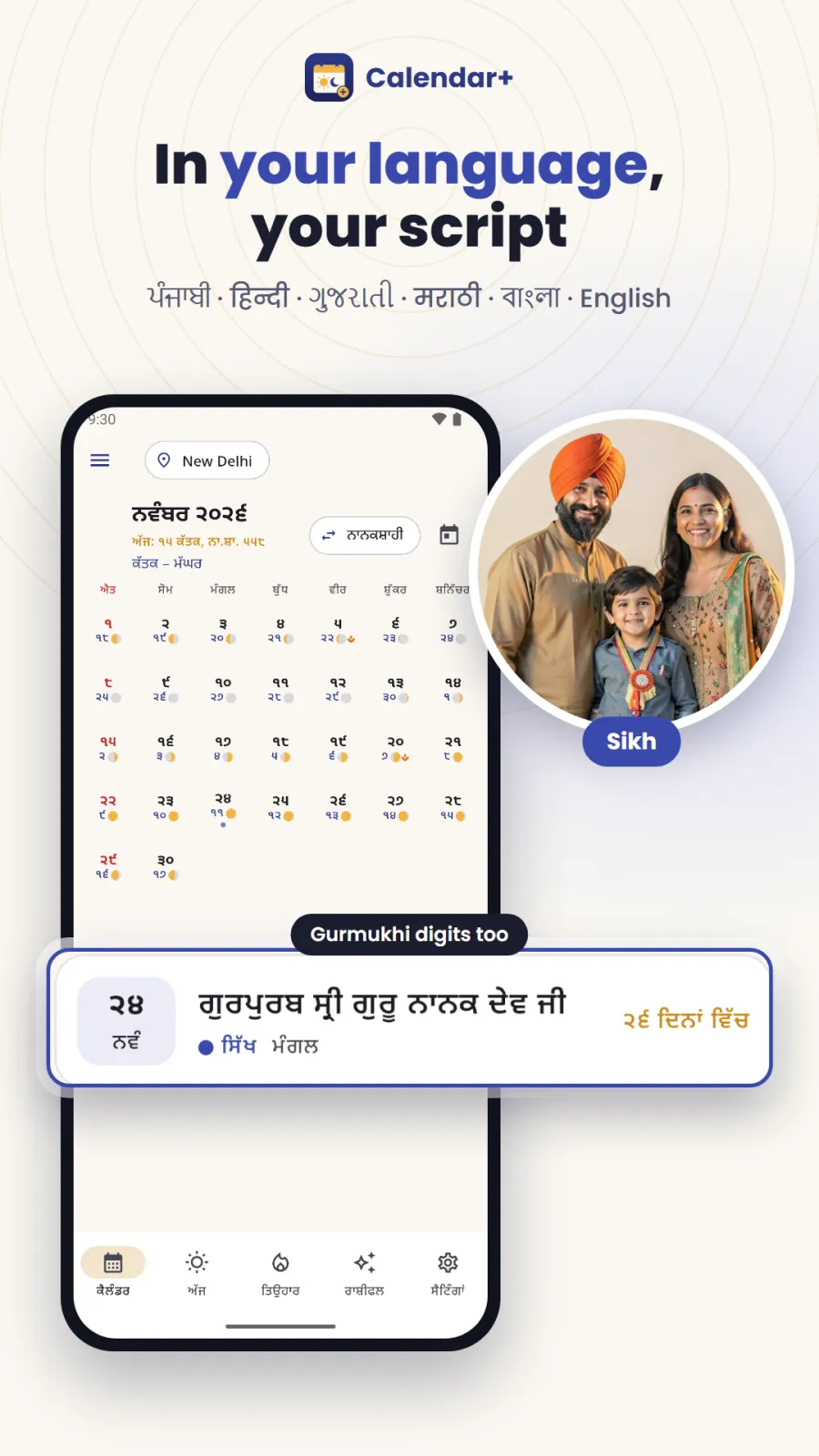
You can use the app in English, Hindi, Gujarati, Marathi, Bengali or Punjabi. You can also choose to display numbers in your local script or in English numerals.
Calendar+ has no ads. It does not ask you to create an account, enter a phone number or sign up. You simply open the app and start using it.
Daily Hindu Panchang, timings and muhurats in detail
The Hindu Panchang in Calendar+ gives you the full traditional details for every day, calculated for your exact city.
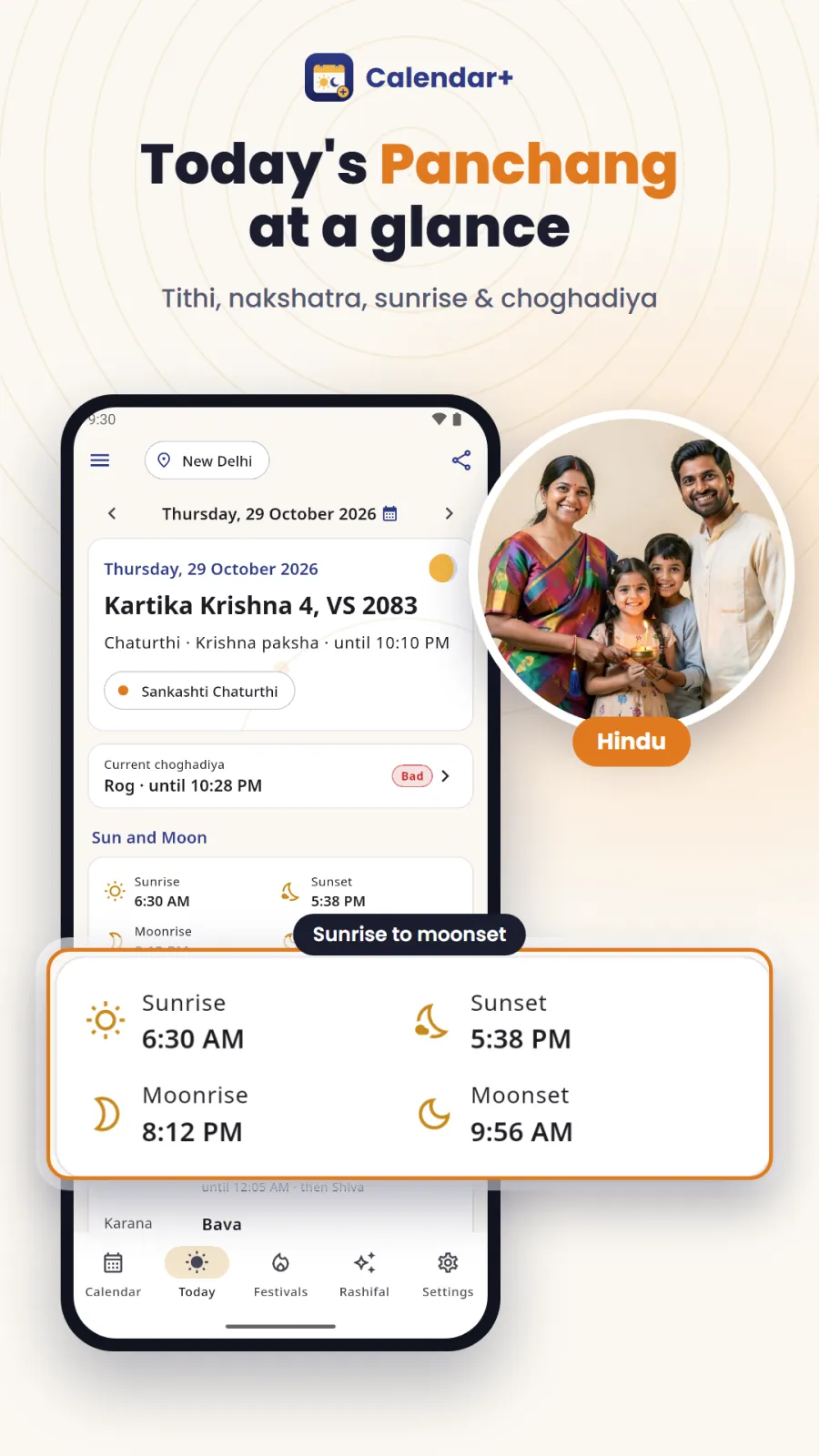
Tithi, Nakshatra, Yoga and Karana with exact end times
Tithi is the lunar day based on the moon's position. Nakshatra is the star constellation the moon occupies. Yoga and Karana are combinations of sun and moon positions. Calendar+ shows all four elements with their exact end times. This is important because many vrat and puja must be done within a specific tithi. If you only know the date, you might miss the correct time window.
Sun, moon and kaal timings for your city
The app lists sunrise, sunset, moonrise and moonset. It also shows the inauspicious periods: Rahu kaal, Yamaganda and Gulika kaal. Rahu kaal is ruled by Rahu and is avoided for new beginnings. Yamaganda is ruled by Yama. Gulika kaal is ruled by Saturn's son. Many people avoid these three for puja, travel, signing contracts or starting business. The app also shows Abhijit muhurat, which is considered the most auspicious time of the day, plus Pradosh kaal in the evening and Nishita kaal late at night.
Regional Hindu calendar choices
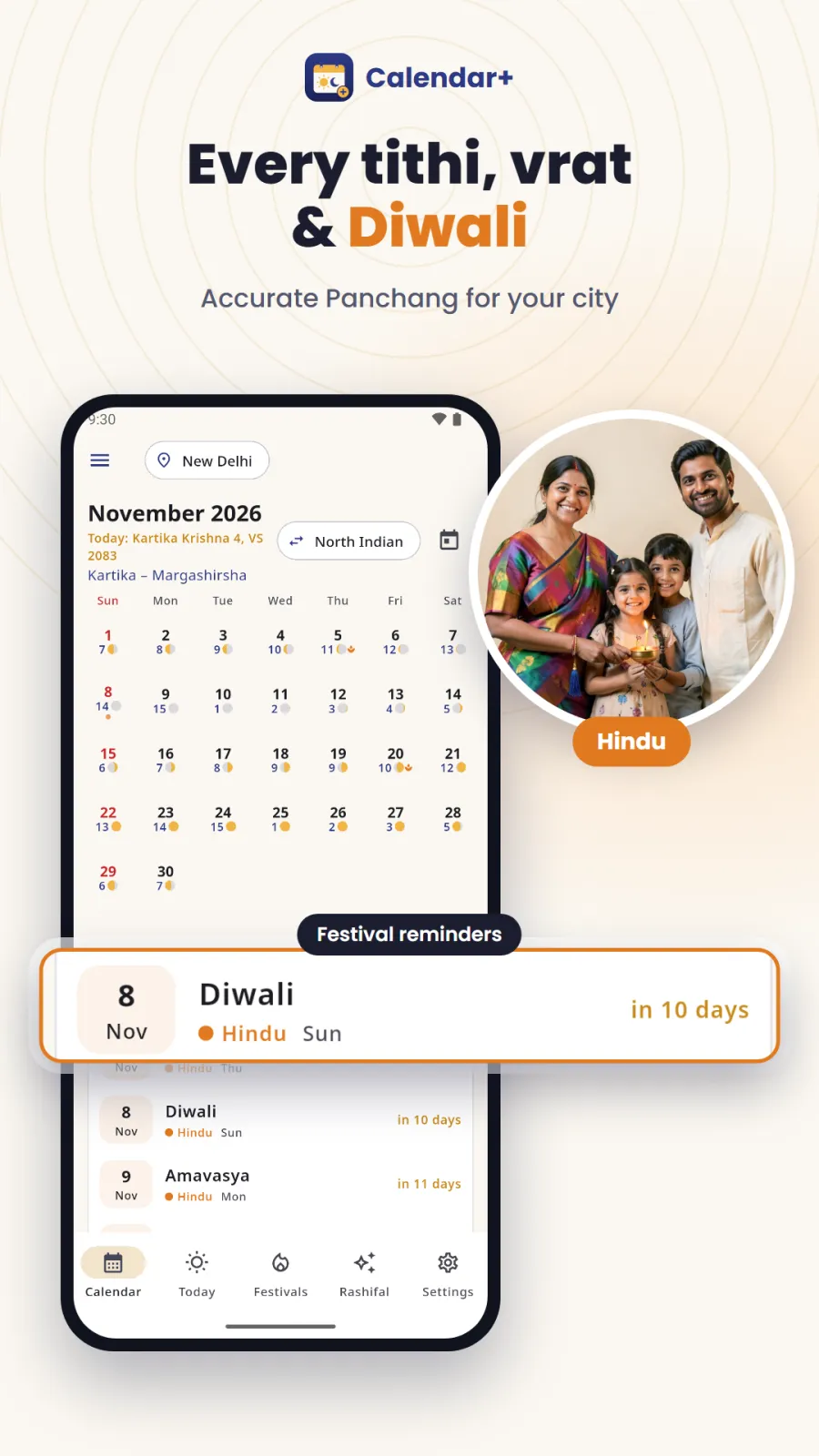
Different regions follow different samvats. Calendar+ lets you choose the Gujarati calendar in Vikram Samvat, the North Indian Hindi calendar with Vikram Samvat and Purnimant months, or the Marathi calendar in Shaka Samvat. Pick the one your family uses so the dates match your tradition.
Vrat days marked on the calendar
Ekadashi, Purnima, Amavasya and Sankashti Chaturthi are automatically marked. Ekadashi comes twice a month and is a fasting day for many. Purnima is the full moon. Amavasya is the new moon. Sankashti Chaturthi is dedicated to Lord Ganesha. You do not need to calculate these dates manually.
Festivals, vrat and holidays for every religion
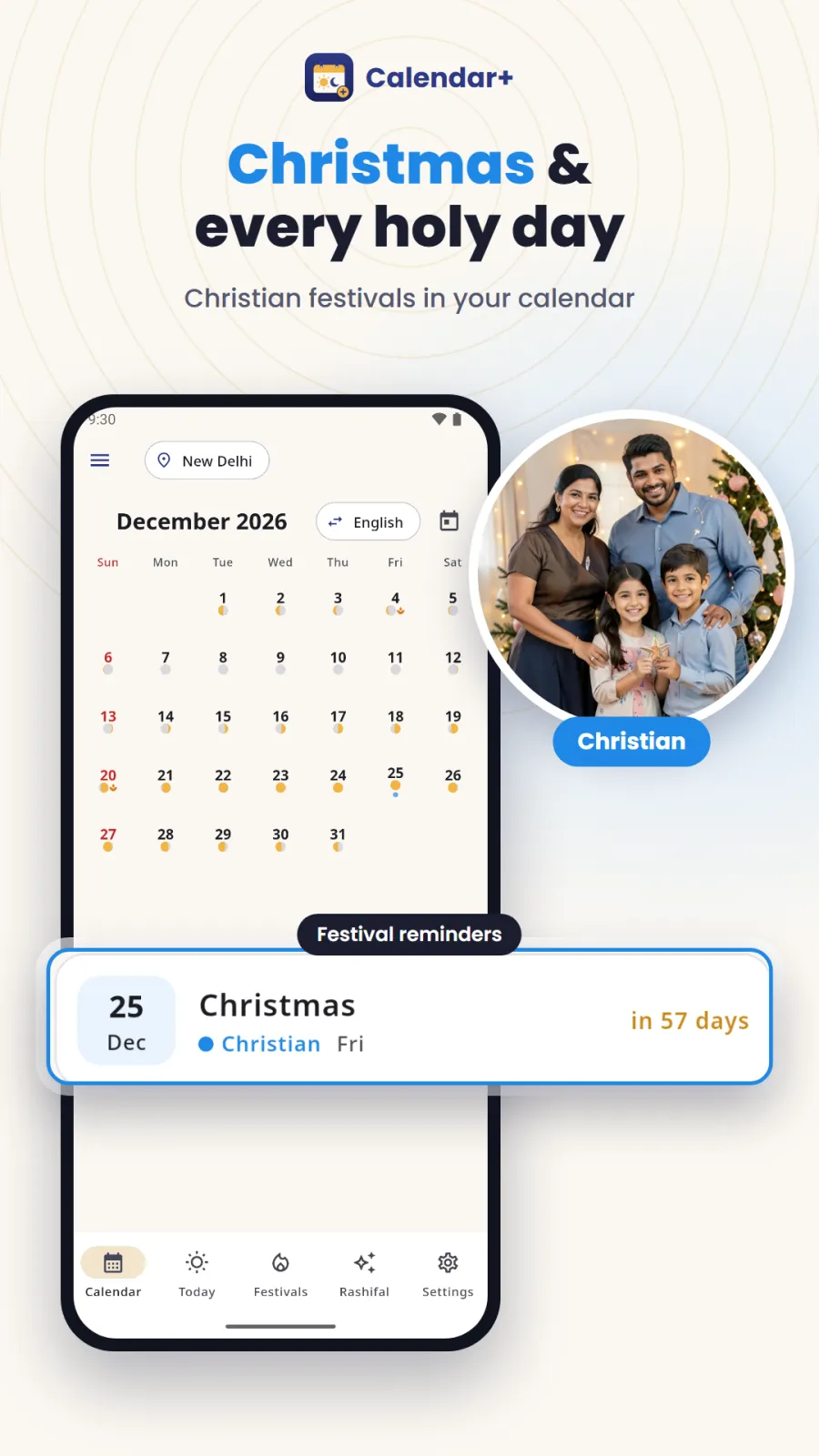
Calendar+ marks festivals and holidays from Hindu, Islamic, Sikh, Christian, Jain, Buddhist and Parsi traditions, plus Indian government holidays, all on the same monthly view. This helps families that celebrate multiple festivals in the same month.
| Community | Calendar type in Calendar+ | Festivals and events marked |
|---|---|---|
| Hindu | Vikram Samvat (Gujarati/North Indian) or Shaka Samvat (Marathi) | Diwali, Holi, Maha Shivaratri, Raksha Bandhan, Janmashtami, Ganesh Chaturthi, Navratri, Dussehra, Makar Sankranti |
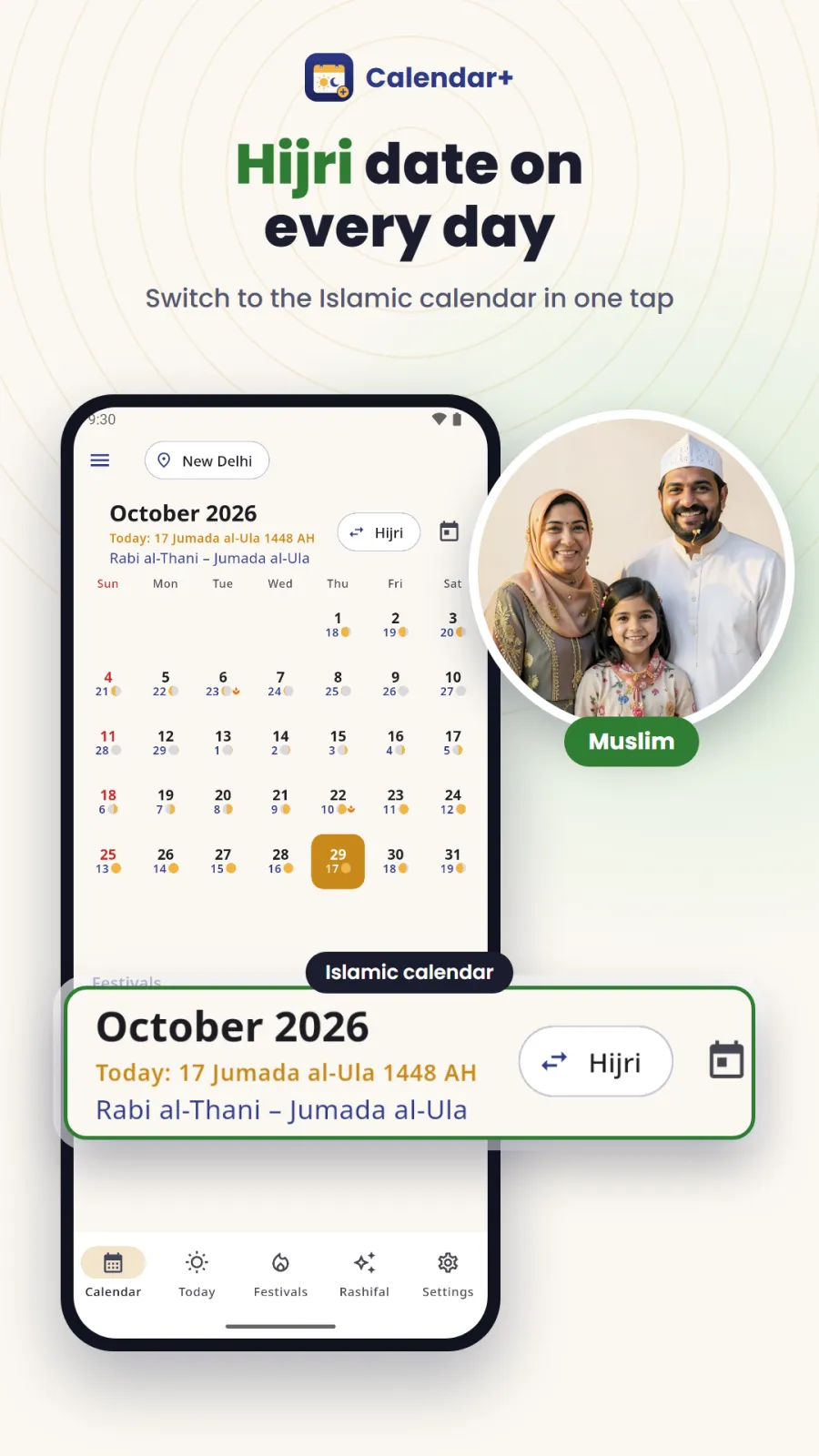
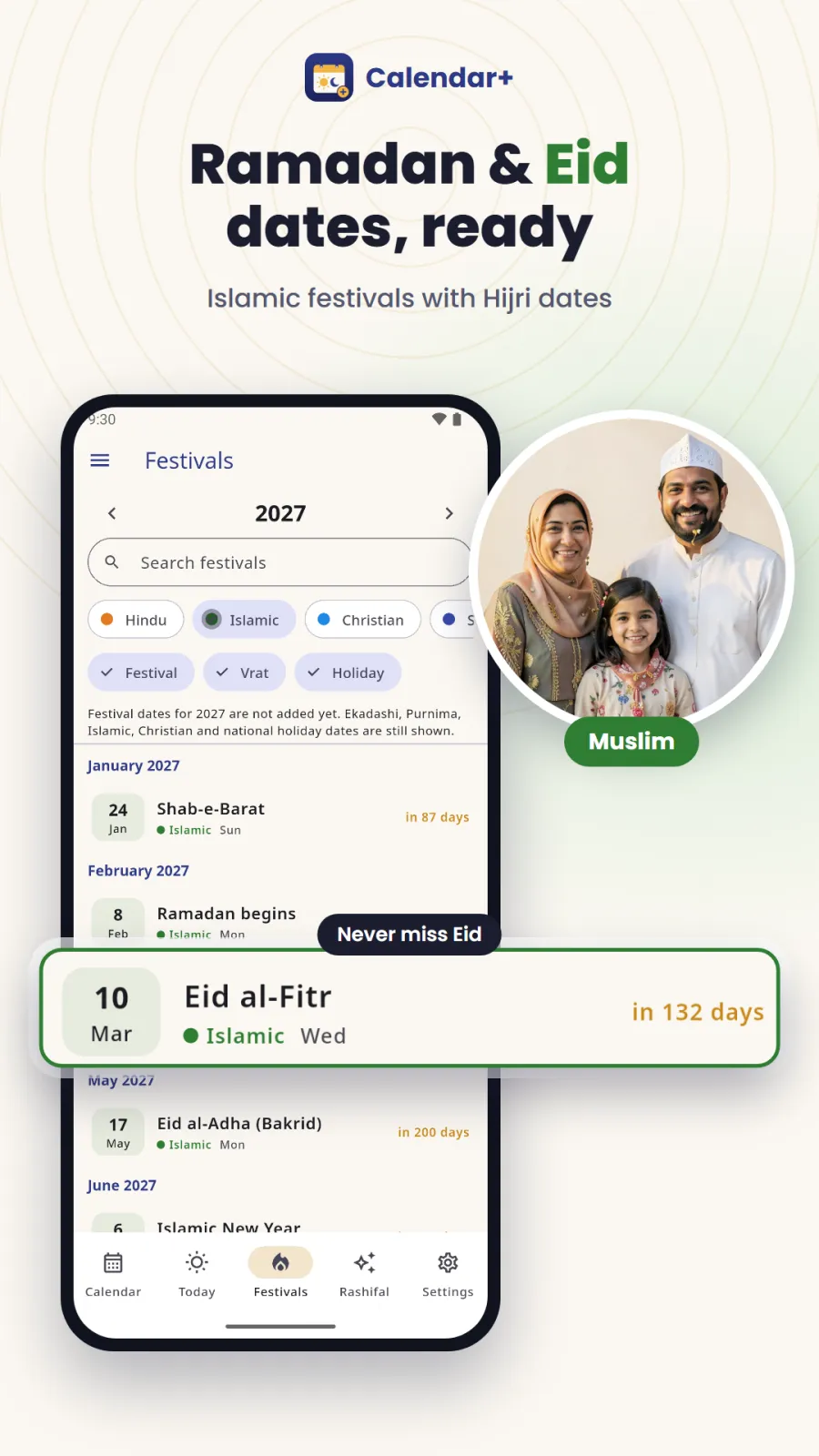
| Muslim | Hijri calendar (AH months and years) | Ramadan, Eid al-Fitr, Eid al-Adha (Bakrid), Islamic New Year, Muharram (Ashura), Eid Milad-un-Nabi, Shab-e-Barat |
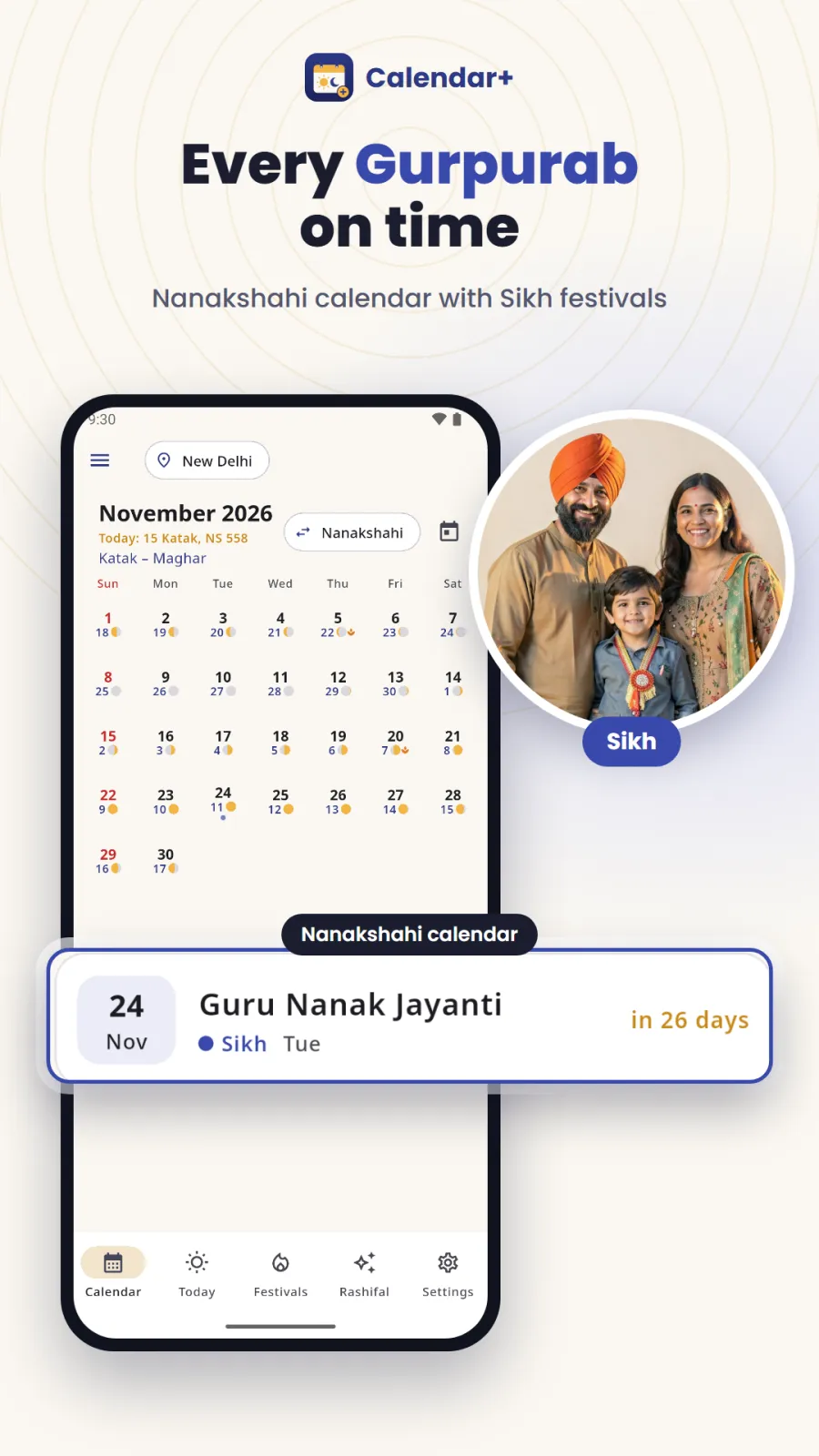
| Sikh | Nanakshahi calendar | Guru Nanak Jayanti (Gurpurab), Vaisakhi |
| Christian | English calendar | Christmas, Good Friday, Easter |
| Jain | English calendar | Mahavir Jayanti |
| Buddhist | English calendar | Buddha Purnima |
| Parsi | English calendar | Navroz (Parsi New Year) |
| Bengali | Bangla calendar with Bangabda year in Bengali language and numerals | Bangla dates and year shown in Bengali script |
| Indian Government | English calendar | Republic Day, Independence Day, Gandhi Jayanti |
The Hijri calendar shows the Islamic date for every day along with the month and year in AH. This helps you track Ramadan and Eid dates alongside the English calendar.
The Bangla calendar is fully in Bengali. Dates, month names and the Bangabda year appear in Bengali language and numerals, which is helpful for Bengali-speaking users.
Government holidays like Republic Day, Independence Day and Gandhi Jayanti appear in the same holiday calendar, so you can plan office holidays, school vacations or bank closures.
Choghadiya, shubh muhurat and daily rashifal
Choghadiya for finding shubh muhurat
Choghadiya divides the day into eight periods from sunrise to sunset, and the night into eight periods from sunset to sunrise. Calendar+ shows all day and night Choghadiya for your city. Each period is named Amrit, Shubh, Labh, Char, Rog, Kaal or Udveg and is marked as good, bad or neutral. Amrit, Shubh and Labh are good for starting new work. Rog, Kaal and Udveg are bad. Char is neutral and can be used for routine tasks. You can use this to pick a shubh time for puja, travel, marriage, griha pravesh or starting a business.
Daily rashifal based on moon transit
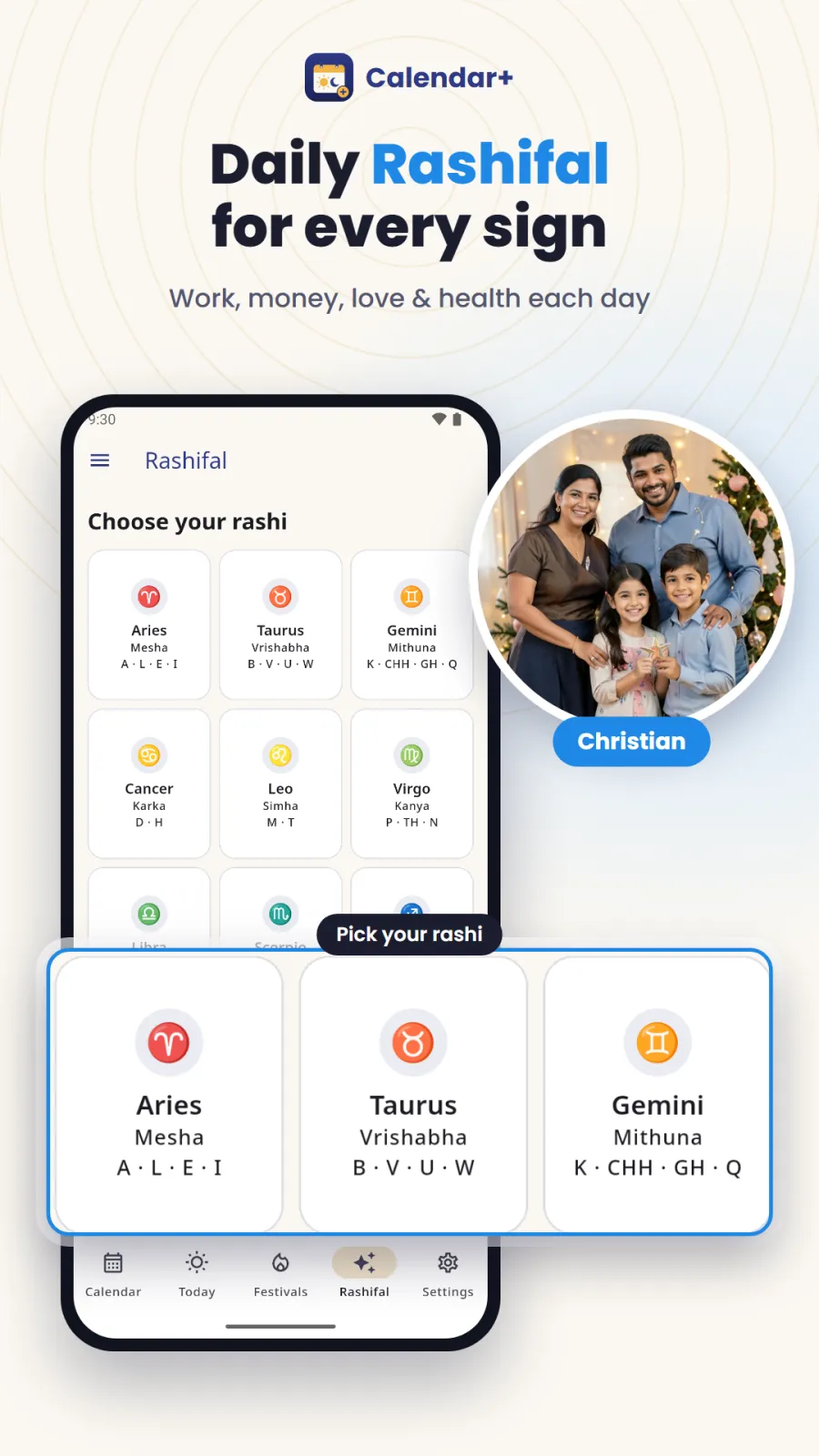
The app provides Aaj ka Rashifal for all 12 rashis. The prediction is based on Chandra gochar, which means the moon's transit through the rashis. For each rashi, you get separate readings for overall day, career, money, love & family and health. Chandrashtama days are highlighted in the rashifal. Chandrashtama is when the moon is in an enemy rashi, and many people avoid important work on these days.
How to use Calendar+ step by step
Setting up and using Calendar+ takes only a few minutes. Follow these steps on your Android phone.
- Open Google Play on your Android phone and search for "Calendar: All Religion Events" or "Calendar+". Tap Install and wait for the download to finish.
- Open the app. When it asks for location permission, allow it. The app uses your location only on your phone to calculate sunrise, sunset, moonrise, moonset, Rahu kaal, Choghadiya and other timings for your city. Your location stays on the device and is not sent to any server.
- Choose your language. You can pick English, Hindi, Gujarati, Marathi, Bengali or Punjabi. Also select whether you want numbers in your local script (like Gujarati or Bengali numerals) or in English numerals.
- Select the calendar you want to see first. You can switch between Hindu, Gujarati, Marathi, Bangla, Islamic Hijri, Sikh Nanakshahi and English calendars at any time.
- Tap on any date to open the detailed day view. Here you see the Panchang with Tithi, Nakshatra, Yoga and Karana end times, sun and moon timings, kaal periods, festivals, vrat marks and the rashifal for your rashi.
- To set a reminder, tap the bell or reminder icon on any festival, vrat or holiday. You can also go to settings and turn on the optional daily notification that shows today's tithi and nakshatra every morning.
- Use the share icon to send today's Panchang to family or friends in one tap. They can read it in their messaging app without opening Calendar+.
- Open settings to switch between light theme and dark theme based on your preference and time of day.
Who Calendar+ is for
Calendar+ is made for Indian smartphone users who need accurate religious dates and panchang without internet. Here are four concrete situations where it helps.
- You observe Hindu vrat and daily puja. You need the exact end time of tithi and nakshatra to perform rituals correctly, and you want Rahu kaal and Abhijit muhurat calculated for your city. Calendar+ gives all of this offline, so you can check it at home or in the temple without network.
- Your family celebrates festivals from different religions. For example, you might celebrate Diwali, Eid al-Fitr and Guru Nanak Jayanti in the same year. Calendar+ shows all of them on one calendar, so you can plan family gatherings and avoid date confusion.
- You plan important events like weddings, housewarmings, business launches or long road trips. You check Choghadiya and shubh muhurat before fixing the date. Calendar+ shows Amrit, Shubh and Labh periods for your specific city, so the muhurat is accurate for where you live.
- You live in Gujarat, Maharashtra, West Bengal or Punjab and want the calendar in your own language and samvat. You can read Calendar+ in Gujarati, Marathi, Bengali or Punjabi and see dates in Vikram Samvat, Shaka Samvat or Bangabda with local numerals.
Privacy, permissions and offline use
Calendar+ is designed to respect your privacy and work without internet.
The app works fully offline after you install it from Google Play. All Panchang calculations, festival dates, Choghadiya and rashifal are done on your phone. You do not need an internet connection, so you do not spend mobile data to check the calendar.
There is no account creation, no sign-up, no phone number and no email required. There are also no ads in the app, so you are not tracked for advertising.
Location permission is needed only to calculate city-specific timings like sunrise, sunset, moonrise, moonset, Rahu kaal, Yamaganda, Gulika kaal, Abhijit muhurat, Choghadiya and Panchang for your area. Your location stays on your phone and is only used for these calculations. It is not uploaded or shared with anyone.
The app stores your reminder settings, language choice and theme preference on your device storage so they remain saved when you close the app. For complete details on data handling, read the privacy policy on the Google Play listing.
Tips to get the most out of Calendar+
Follow these tips to make Calendar+ a useful part of your daily routine.
Enable the daily notification for tithi and nakshatra. This sends you a short message every morning with the day's Panchang basics, so you know the tithi before you start puja.
Before fixing a muhurat for marriage, griha pravesh, vehicle purchase or new job, open the Choghadiya section and choose an Amrit or Shubh period. Also check Abhijit muhurat, which is good for most work.
Set reminders for Ekadashi, Purnima, Amavasya and Sankashti Chaturthi at least one day in advance. This helps you prepare for fasting or arrange puja items.
Use the one-tap share button to send today's Panchang to elders in your family. Many older family members prefer reading tithi and muhurat in a message rather than using an app.
If you use the Bangla calendar, set the app language to Bengali and choose Bengali numerals. The dates and Bangabda year will then appear in the script you are used to.
Switch to dark theme after sunset. It is easier on your eyes when you check late-night timings like Nishita kaal or moonrise.
Check the rashifal for your rashi each morning, especially on Chandrashtama days. The app highlights these days so you can plan important decisions accordingly.